Common Website Errors and How to Fix Them: What are the Most Common and How Do You Address Them?
 ()
()
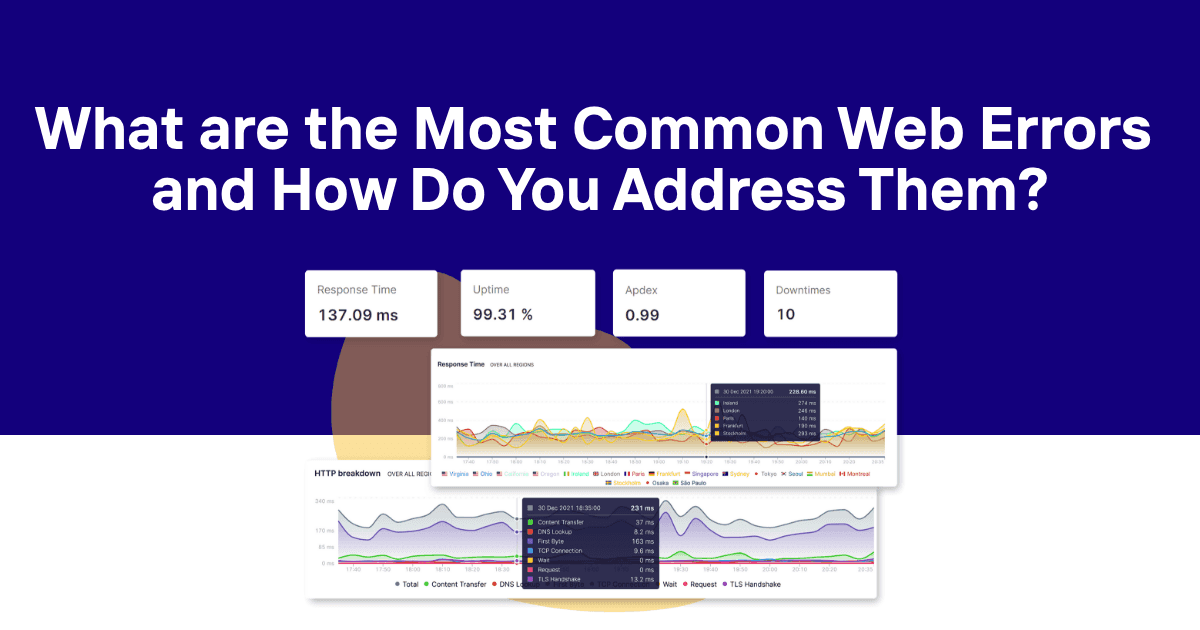
Web errors range from temporary glitches to critical outages, each with the potential to turn away users and tarnish a brand’s reputation. These errors are a significant concern for businesses relying on online presence as they’re commonly experienced as a frustration by end-users. It’s crucial to identify and rectify these errors swiftly to maintain customer trust and minimize disruption. Whether it’s a server misconfiguration or hardware issues, pinpointing the cause and effect of errors requires a robust monitoring system and often involves checking server logs to diagnose the underlying issues. Businesses can receive instantaneous alerts about website outages through a monitoring service, and by entering your web address into a free website uptime checker, you can quickly check if your site is down, allowing for prompt corrective actions even before customers notice any downtime. Services that provide comprehensive uptime monitoring and incident management are essential tools for businesses to detect and address issues as they arise, ensuring their online operations run smoothly. And when it comes to uptime monitoring solutions for speedy remedy of these errors, you can’t beat Odown. Equipped with detailed logs, customizable checking rates, and global coverage, our solution empowers you to maintain a proactive response to errors. With support for various alert platforms, companies can stay informed through their preferred communication channels, facilitating a swift resolution. We’ll highlight the most common errors below—including error codes and status codes that identify different types of web errors—and show you how our solution aids you in providing a rapid response and even preventing errors going forward.
What is a Web Error?
A web error is an issue encountered when attempting to reach a webpage or interact with content on the internet. These errors can originate from various sources, such as the client’s browser, the server hosting the website, or network issues in between. There are a few different types:
-
Client-Side Errors (4xx): The request contains bad syntax or cannot be fulfilled. 404 Not Found is the most recognized error, indicating that the requested page doesn’t exist on the server. Meanwhile, a 403 Forbidden error means that access to the requested resource is denied, even though the server understands the request but refuses to authorize it due to permissions. A 401 Unauthorized error occurs when authentication is required and has failed or has not yet been provided; verifying or resetting your login credentials can often resolve this error.
-
Server-Side Errors (5xx): Problems that prevent the server from fulfilling a request. The 500 Internal Server Error is a generic error message when the server encounters an unexpected condition. A 503 Service Unavailable error suggests the server is temporarily unable to handle the request. We’ll get more specific about the most common errors below.
But just know this - understanding web errors is crucial for website operators because these issues can negatively impact the user experience, potentially leading to a loss of traffic and revenue. Fixing these errors not only restores functionality but can also improve your website’s search engine rankings. Effective diagnosis and prompt resolution maintain a website’s integrity and reliability. Identifying the types of errors that occur, such as those listed on HTTP response status codes, allows for targeted troubleshooting and informs corrective measures. When errors do occur, it’s also important to guide users to relevant content or appropriate pages to maintain a positive experience. Providing clear steps to fix errors ensures users and administrators can resolve issues efficiently.
What are the Most Common Web Errors?
In navigating the web, users and developers commonly encounter a variety of errors. These errors, signifying different issues, can range from server malfunctions to authorization problems. Understanding each error type is essential for both troubleshooting and ensuring a seamless user experience.
500 Internal Server Error
The server encountered an unexpected condition that prevented it from fulfilling the request. To diagnose the cause of a 500 Internal Server Error, check your server logs and error log for detailed information about what went wrong. This generic catch-all error often requires server-side debugging by the website’s technical team. A corrupted htaccess file or a plugin conflict can also trigger this error, so review your htaccess file and consider deactivating plugins to identify the source. If the issue persists, contact your hosting provider for further assistance.
401 Unauthorised
This error indicates that the requested resource is restricted and requires authentication. If a user is not logged in with the correct login credentials, or if the credentials are incorrect, they cannot access the resource. Ensuring that the correct login credentials are entered can resolve this error.
400 Bad Request
A 400 Bad Request error signifies that the server cannot process the request due to a client error, such as incorrect syntax or size too large. Sometimes, a corrupted browser cache can cause this error; clearing the cache may resolve the issue. Additionally, an unstable or poor internet connection can lead to a 400 Bad Request error, so checking your internet connection is recommended.
403 Forbidden
Even with proper authentication, users may encounter a 403 Forbidden error if they try to access a resource for which they do not have proper permissions.
404 Not Found
This is one of the most common website errors indicating that the server could not find the requested URL. 404 errors can be caused by broken links, outdated bookmarks, or an old URL that has been deleted or moved. The page might have been removed or the user may have followed a broken link. Tools like Google Search Console can help identify and fix broken links. To improve user experience, use redirects to guide users to relevant content when a page is missing.
501 Not Implemented
The server does not support the functionality to fulfill the request, typically due to the method being unrecognized or lacking capability.
502 Service Temporarily Overloaded
A 502 error signifies that the server, while acting as a gateway or proxy, received an invalid response from the upstream server. This error can often be caused by insufficient hosting resources or an inadequate hosting plan, especially during periods of high traffic. To prevent 502 errors, consider upgrading hosting resources or selecting a hosting plan that can handle your website's traffic demands. If you frequently encounter this error, contact your hosting provider for assistance in troubleshooting and resolving the issue.
503 Service Unavailable
The 503 Service Unavailable error means the server is currently unable to handle the request due to temporary overloading or maintenance. This error can often be caused by insufficient hosting resources or an inadequate hosting plan, especially during traffic spikes. Upgrading hosting resources or choosing a more robust hosting plan can help resolve frequent 503 errors. If the issue persists, contact your hosting provider for further troubleshooting and support.
Connection Refused by Host
Users see this error when the server is refusing to connect, often due to server overload or maintenance being performed on the web server.
File Contains No Data
When encountering a File Contains No Data error, it means the server issued a response, but the file that the server sent contains no information.
Cannot Add Form Submission Result to Bookmark List
This error appears when a user attempts to bookmark the result of a form submission, which is not a static page and therefore cannot be bookmarked.
Helper Application Not Found
A Helper Application Not Found error occurs when the browser cannot find the appropriate software to handle a particular file type or protocol.
TCP Error Encountered While Sending Request to Server
A TCP error indicates problems with the transmission control protocol, which may involve packet loss or a faulty connection when sending a request.
Failed DNS Look-Up
This error implies that the domain name system (DNS) lookup failed, meaning the server associated with the domain name could not be found.
408 Request Time-Out
A server returns the 408 Request Time-Out error when it closes an idle connection because the client took too long to send a request. If the issue persists, consider contacting your hosting provider or taking additional troubleshooting steps to resolve the ongoing problem.
How to Address Web Errors and Stay Ahead of the Curve With Odown
There you have it - all the common errors you may experience when running a website. As a site owner or website owner, it's crucial to proactively monitor and fix these errors to maintain your site's performance and security. The question is, how do you monitor for these errors and address them fast to prevent negative user experiences? It makes sense to stay ahead of issues before they impact your visitors. This is . But what is website monitoring, exactly? It informs you as soon as an error occurs so that you can take swift action to get your site back up and running correctly, and understanding website monitoring as more than just a digital pulse check helps you build a truly resilient online presence. We’ll show you how you can use these tools to your advantage and what makes Odown the #1 choice below.
The Importance of Rapid Alerts for Web Errors
For online enterprises, speed is of the essence when addressing errors. Rapid alerts allow IT teams to respond almost instantly to issues, preventing extended downtime, which is especially critical for website monitoring for eCommerce stores where every minute of outage can mean lost sales. Services like Odown provide real-time notifications for downtime, errors, and performance metrics, ensuring that quick action can be taken to resolve issues before they escalate. That being said, here's what makes us the best uptime monitoring solution on the market, especially when compared with the best uptime monitoring services in 2024.
Introducing Odown: The #1 Website Monitoring Solution
Odown is the premier solution for organizations seeking to optimize their website's uptime. This tool offers comprehensive monitoring services, including:
- Instant Notifications: Odown alerts users the moment an error is detected, through channels like SMS, email, and Slack.
- Detailed Reporting: Users receive reports that highlight the error type, its duration, and the potential impact on their services.
- Incident Management Strategies: Guides on establishing an effective response protocol, with clearly defined roles and communication plans.
You also gain access to your own custom status page, which allows you to display website performance on your own domain to build loyalty and inspire trust, much like the open-source and hosted options discussed in our guide to the best open source status page tools. With so many other options at your fingertips, you may be wondering how our solution stacks up to the competitors; for example, many teams compare UpTimeRobot vs Pingdom and similar website monitoring solutions. Well, you can see for yourself below:
- StatusCake alternatives – including in-depth comparisons like our guide to StatusCake vs UptimeRobot
- UpTimeRobot alternatives – and related breakdowns such as Better Uptime vs UpTimeRobot Or better yet, you can take the first step toward monitoring for web errors today with a risk-free 14-day free trial - no credit card needed! Here's how to begin…
How to Get Started Monitoring Web Errors Today
You can begin monitoring web errors with Odown in three simple steps:
- Sign Up: Register for Odown’s service and enter the website details to be monitored.
- Configure Alerts: Set preferences for how and when to receive notifications about errors. You can get these delivered via Slack or email, or anywhere else you see fit.
- Deploy and Analyze: Let Odown run, and start receiving data to analyze website performance patterns and make informed decisions to enhance stability.
Initiating these measures equips teams to prevent prolonged website errors, ensuring their digital presence remains robust and reliable for users. Odeon is an incredible investment in your website's performance. You can quickly address errors the moment they pop-up. But now, let's talk about preventing these errors going forward.
Prevention of Web Errors Going Forward
To prevent errors in the future, developers should prioritize a robust approach to error handling. Emphasizing the importance of clear and concise error messages helps in diagnosing and rectifying issues efficiently. Adopting best practices in web development is critical; this includes rigorous testing of applications under various conditions and planning for error management throughout the application’s lifecycle. The following strategies are essential:
- Routine Code Review: Regularly reviewing code can catch potential errors early. Pair programming or having another developer review code can provide an outside perspective that may identify issues that the original coder missed. During code review, test for plugin conflicts to prevent issues like a blank page or unexpected behavior. Implementing Error Tracking Tools: Tools that monitor applications in real-time can alert developers to errors as they occur, allowing for immediate action.
- User Input Validation: Ensuring that all user inputs are validated can reduce errors. Applications should check, sanitize, and handle user data appropriately before processing.
- Server-Side Logging: Keep detailed logs of server-side errors.
- Client-Side Logging: Use scripts to report client-side issues.
- Preventive Coding Techniques: Use try-catch blocks for sections of code that might throw an error. Include finally clauses where needed to clean up resources.
- Keep Your Operating System Updated: Regularly update your operating system to fix security vulnerabilities and technical issues that could impact your website.
- Use Security Plugins: Install and maintain security plugins to protect your website against vulnerabilities such as cross-site scripting (XSS) and other threats.
- Ensure Your SSL Certificate Is Valid and Up to Date: Make sure your SSL certificate is properly configured, valid, and renewed as needed to avoid browser security warnings and to encrypt user data.
- Clear Cache to Prevent Caching Issues: Regularly clear browser and server cache to fix and prevent caching issues that can cause errors like CSS not loading or outdated content displaying.
To further enhance stability and performance, developers should consider optimizing web script stability and choosing robust monitoring platforms, such as Hyperping alternatives like Odown website monitoring. This not only ensures a better user experience but minimizes interruptions caused by script errors. Leveraging content delivery networks (CDNs) to reduce load times, implementing responsive design for various devices, and keeping software dependencies up to date are also key elements in reducing errors. Watch for symptoms like a blank page, which can indicate deeper issues such as plugin conflict, coding errors, or server problems, and take preventive measures to fix potential problems before they occur.
Wrapping Up Our Guide to Web Errors
Web errors can disrupt user experiences and harm a brand’s reputation, making it crucial for businesses to address them swiftly. Whether they’re client-side or server-side, you want to make sure you have the tools in place to 1) identify these errors and 2) fix them fast. Fixing common website errors not only restores functionality and user trust but also improves your visibility and ranking in search engine results. Odown stands out as the #1 choice for proactive response to errors. With detailed logs, customizable checking rates, and global coverage, Odown empowers businesses to maintain website integrity. Rapid alerts, instant notifications, and incident management strategies ensure quick action to prevent extended downtime. You can learn more about website monitoring solutions in our blog where we compare or . Otherwise, there’s just one thing left to do: invest in peace of mind knowing your digital presence is protected through Odown. We offer a 14-day risk-free trial, so what’s holding you back? You’ve got nothing to lose. Sign up today to optimize your website’s uptime and build trust with your users.


